
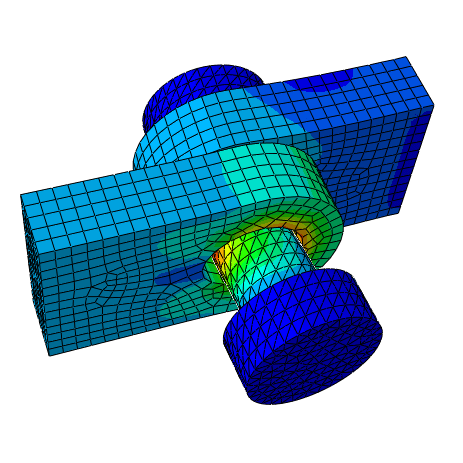
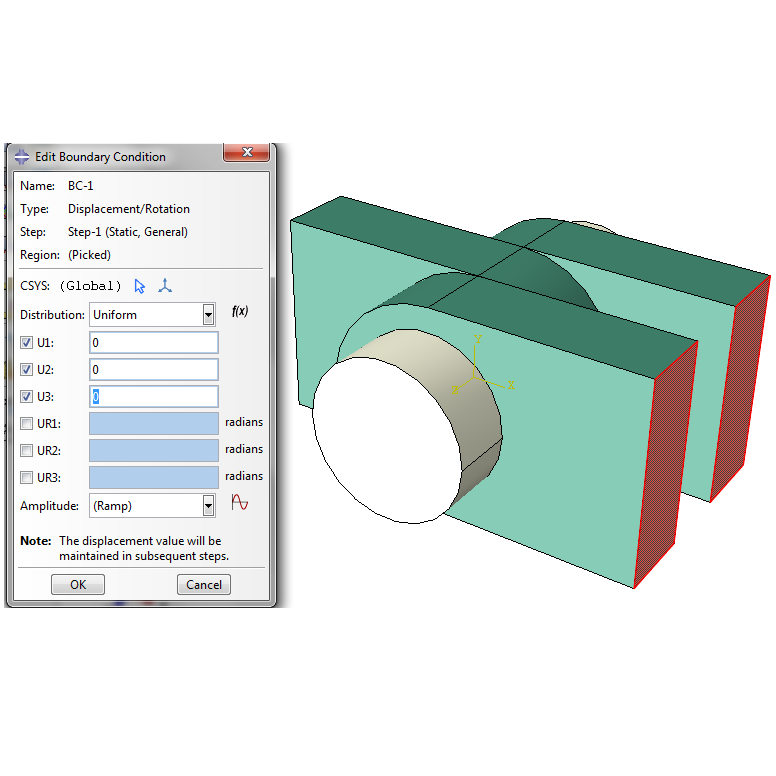

Learn to model and simulate surface contact and interactions in a multi-part assembly using Abaqus/CAE. This downloadable package contains a step-by-step PDF tutorial and is designed to give you hands-on experience with a fundamental yet crucial skill in finite element analysis. This tutorial provides essential training for performing Abaqus contact analysis on mechanical assemblies.
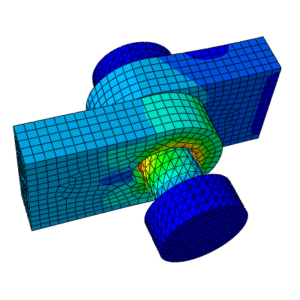
Master the workflow for analyzing assemblies in Abaqus with this practical tutorial. You will set up a pin and three lugs, define contact pairs with friction, and solve the model to see how forces transfer between components- a common scenario in mechanical and aerospace engineering.
Package includes
- ✅ Step-by-step illustrated PDF tutorial (English)
- ✅ Importable geometry file (.STEP)
- ✅ Instructions for automatic contact detection and results visualization
- ✅ Practical tips for managing multi-part assemblies and ensuring convergence
Perfect for students, researchers, and simulation engineers moving from single-part analyses to complex, real-world assembled structures.
What you will learn
- Import and manage a multi-part assembly from a .STEP file
- Understand the complete workflow for successful Abaqus contact analysis from start to finish
- Assign different materials (Steel and Aluminum) to various components
- Use the automatic “Find Contact Pairs” tool to define interactions
- Define contact properties with friction (µ=0.1)
- Apply pressures and boundary conditions to an assembly
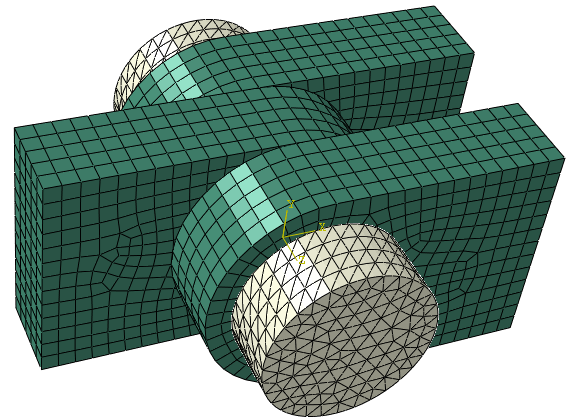
- Mesh complex parts with tetrahedral and hexahedral elements
- Post-process results by hiding instances and plotting contact pressures
See more Abaqus Tutorials & Projects
Tutorial overview
This foundational exercise introduces the critical concepts needed for reliable Abaqus contact analysis. You will guide a pin-through-lug model from geometry import to result visualization, focusing on the critical steps of contact definition. The tutorial explains how to use Abaqus/CAE tools to automatically find interacting surfaces, apply a friction coefficient, and control the solution increments for a stable analysis.
Who is this Abaqus tutorial for?
- Engineering students and researchers who have completed basic single-part tutorials.
- Engineers who need to model components that interact through contact, such as pins, bolts, and bearings.
- Any Abaqus user ready to transition from simple parts to complex assemblies.
Product details
- Format: PDF + .STEP (All in a single .zip file)
- Software: Abaqus/CAE
- Difficulty: Beginner → Intermediate (Assembly & Contact focus)
- Category: Structural Simulation, Contact Mechanics
- Author: Mathech – Abaqus Experts for Finite Element Simulation
Why this tutorial?
Contact simulation is a cornerstone of advanced FEA. Developed by Abaqus specialists, this package provides the complete files and guided instructions you need to build confidence in modelling and analyzing assemblies correctly. This tutorial addresses common challenges in Abaqus contact analysis, helping you avoid convergence issues and get reliable results

Reviews
There are no reviews yet.