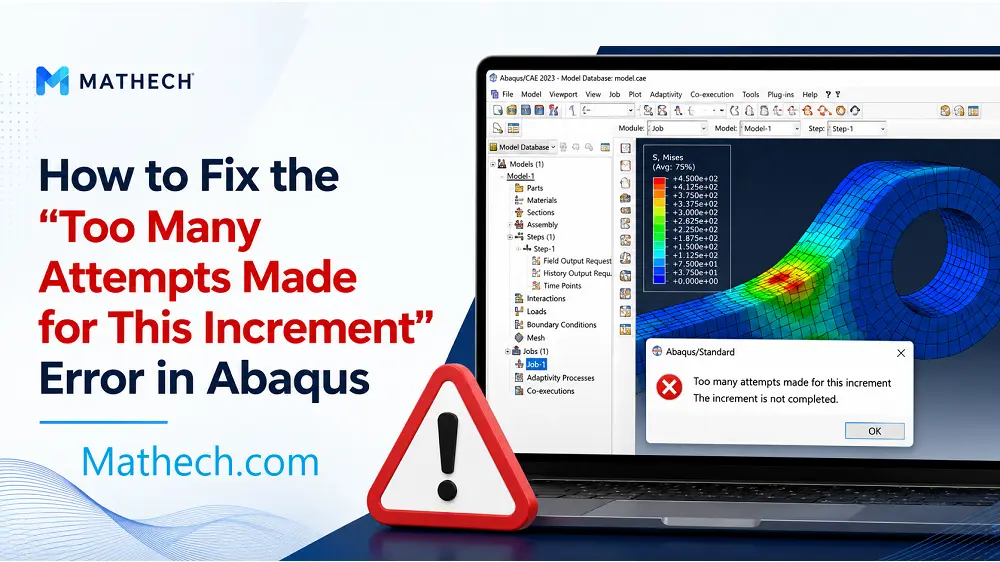
If you’ve ever run an Abaqus simulation only to have it stop suddenly with the error message “Too many attempts made for this increment”, you know how frustrating it can be.
Most people try random fixes- changing the time step, restarting the job, or tweaking random settings- without actually understanding why the error happens. In his article we will explain where this error really comes from, the theory behind it in simple terms, and exactly how to fix it step by step.
Once you understand this, you’ll stop guessing and your nonlinear simulations will actually converge.
1. What This Error Really Means
First, let’s start with the most important thing: This error is not a bug. Abaqus is not broken. In fact, it is doing its job correctly.
The message “Too many attempts made for this increment” means only one thing:
Abaqus could not converge the current increment even after reducing the increment size multiple times.
In other words, Abaqus tried to solve the increment, it failed, it reduced the increment size, it tried again, and after several attempts it gave up.
So the real question is not “How do I remove this error?” The real question is: Why is Abaqus unable to converge this increment?
2. How Abaqus Solves Nonlinear Problems – The Theory
To understand this error, you need to understand how Abaqus solves nonlinear problems.
Abaqus does not fully apply the load all at once. Instead, it divides the problem into small increments. Each increment applies a small amount of load or displacement. Inside each increment, Abaqus uses the Newton–Raphson method to find equilibrium.
Here is the process simplified:
- Apply a small load increment
- Iterate until equilibrium is reached
- Move to the next increment
- Repeat until the total load or total time is reached
2.1. Understanding Increments
Imagine your total step time. By default, Abaqus uses five increments for the problem. Each increment has a size. There is also a minimum increment size (the smallest allowed) and a maximum increment size (the largest).
The key idea is this: The Newton–Raphson method assumes the problem is smooth enough inside each increment.
If the response suddenly becomes highly nonlinear, unstable, or physically unrealistic, the solver cannot find equilibrium—no matter how small the increment becomes. When Abaqus reaches the maximum number of cutbacks (attempts), it throws the error: “Too many attempts made for this increment.”
3. Real Causes of This Error
In practice, this error almost always comes from one of these reasons:
3.1. Load or Displacement Applied Too Aggressively
This is one of the most common causes. If you apply a large force, a large displacement, or a very steep amplitude, Abaqus is forced to jump too far in one increment. How fast you apply the load matters—even if the total load is reasonable.
3.2. Severe Nonlinearity
Nonlinear problems are sensitive. Typical examples include:
- Plasticity with sharp yielding (like a tensile test)
- Damage initiation or element deletion
- Buckling or snap-through behavior
- Contact opening and closing
At some point, the stiffness matrix changes too abruptly and Newton–Raphson fails.
3.3. Contact Problems
One of the most important sources of this error is contact. Bad contact definitions cause convergence nightmares. Examples include:
- Initial overclosure
- Hard contact with no stabilization
- Too much friction
- Contact suddenly activating within one increment
Abaqus tries to resolve contact forces instantly and fails.
3.4. Meshing or Element Choice
Highly distorted elements, wrong element types, or very coarse meshes in nonlinear regions can completely prevent convergence.
3.5. Unrealistic Boundary Conditions
Overconstrained models, conflicting boundary conditions, or rigid constraints can lock the structure and make equilibrium impossible.
4. How to Fix the Error – Step by Step
Now that you know where these errors come from, let’s talk about how to fix them.
4.1. Step 1: Increase the Number of Cutbacks
This is the quickest and most common fix.
Steps:
- Go to the Step Module
- From the step, go to Other → General Solution Controls
- Open the manager and select Step-1
- Click Edit (ignore the warning and continue)
- Click Specify
- Under Time Incrementation, click More
- You will see the default number of cutbacks, which is 5
- Increase this value to something higher, for example 30
- Click OK and rerun the job
In many cases, the problem will converge after this simple change.
4.2. Step 2: Apply the Load More Smoothly Using an Amplitude
Instead of applying the load instantly, use an amplitude to apply it gradually.
Steps:
- Go to the load or boundary condition definition
- Assign an amplitude
- Use a tabular amplitude with points like:
- 0, 0
- 0.2, 0.1
- 0.4, 0.2
- 0.6, 0.4
- 0.8, 0.7
- 1.0, 1.0
This way, the load is applied gradually, and Abaqus has a much better chance to converge.
4.3. Step 3: Improve Contact Definitions and Mesh Quality
For contact problems, mesh quality is critical:
- Elements near contact interfaces should be well-shaped and reasonably fine
- Avoid distorted elements in contact zones
- Make sure opposing surfaces have compatible mesh densities
In the Interaction Module, make sure the contact definition is appropriate (surface-to-surface contact or general contact). If you are using friction with penalty formulation, make sure the friction coefficient is realistic.
4.4. Step 4: Change the Analysis Procedure
If you have tried everything and still get the error, you may need to change the analysis procedure.
For example:
- If you are using Static, General and the deformation is very large or unstable, the problem may simply not be solvable as a static problem.
- In that case, switching to Dynamic, Explicit can resolve the issue.
- Make sure NLGEOM is turned on when dealing with geometric nonlinearity.
- Control the solution using mass scaling and time incrementation.
5. Summary – Quick Checklist For This Error in Abaqus
This table summarizes the most effective solutions for the “Too Many Attempts Made for This Increment” error, including increment size adjustments, stabilization techniques, and CDP-specific parameters. Quickly identify which fix applies to your situation.
| Cause | Solution |
|---|---|
| Aggressive loading | Use smooth amplitude |
| Too few cutbacks | Increase cutbacks to 30 or more |
| Poor contact definition | Fix overclosure, add stabilization |
| Bad mesh quality | Refine mesh near contact zones |
| Wrong analysis type | Switch to Dynamic, Explicit |
| Unrealistic BCs | Remove overconstraints |
6. My Experience with the “Too Many Attempts” Error During Unloading
What I was trying to do:
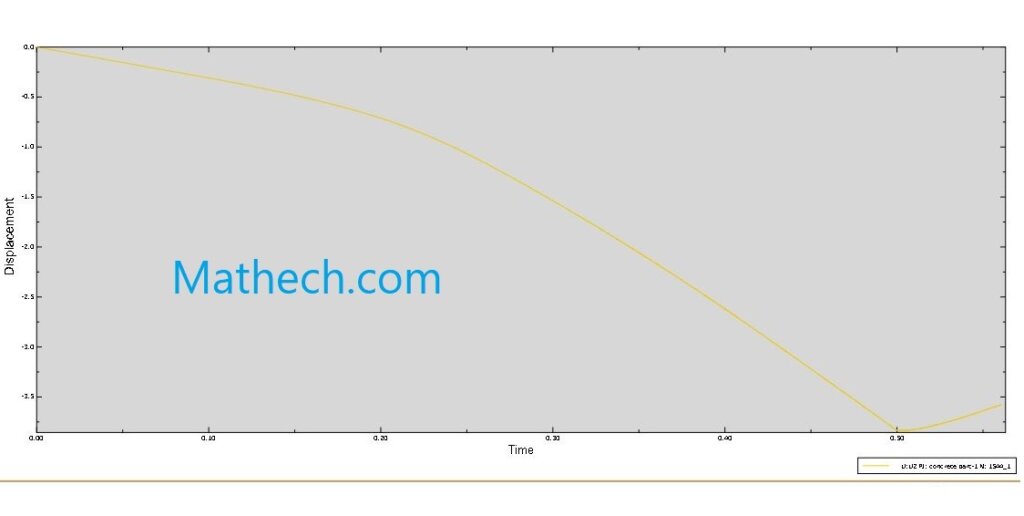
I modeled a reinforced concrete beam using the Concrete Damaged Plasticity (CDP) model. I applied a 50 KN load using a tabular amplitude; loading from 0 to 0.5 seconds, then unloading from 0.5 to 1.0 seconds. My goal was to get the full loading-unloading response.
What went wrong:
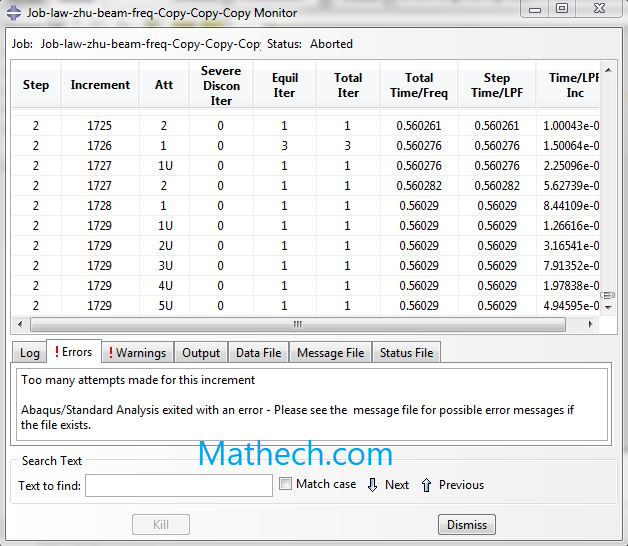
The loading phase ran perfectly fine. But once I hit the unloading stage, right around 0.56 seconds, Abaqus stopped and gave me that dreaded message: “Too many attempts made for this increment.” I’ve attached the graphs so you can see exactly where it failed.
What I tried first (and didn’t work):
I messed around with the solution controls. I switched from Full Newton to Quasi-Newton, turned on discontinuous analysis, and even tweaked the search algorithm; changing N from 5 to 10 and ETH from 0.1 to 0.01. All that did was push the error a little further into the unloading stage. It didn’t actually fix anything.
What finally worked:
After some digging, I used the stabilization option in the static step. I added a very small damping factor; just enough to help the solver get through those tricky unloading increments, but not so much that it would affect my deflection results. And honestly? It worked like a charm. The analysis ran all the way to the end.
What I learned:
Don’t waste too much time tweaking solution controls for this kind of problem. If your model converges fine during loading but fails during unloading, try stabilization with a tiny damping factor first. Just make sure the damping energy is small compared to your total strain energy; otherwise your deflections won’t be accurate.
7. Final Thoughts
The “Too many attempts made for this increment” error is not a mystery. It is Abaqus telling you that it cannot find equilibrium within the current increment, even after trying multiple times.
By understanding the theory behind nonlinear convergence and applying the fixes outlined above—increasing cutbacks, using smooth amplitudes, improving contact definitions, and choosing the right analysis procedure—you will be able to resolve these errors confidently.
Stop guessing. Start converging.