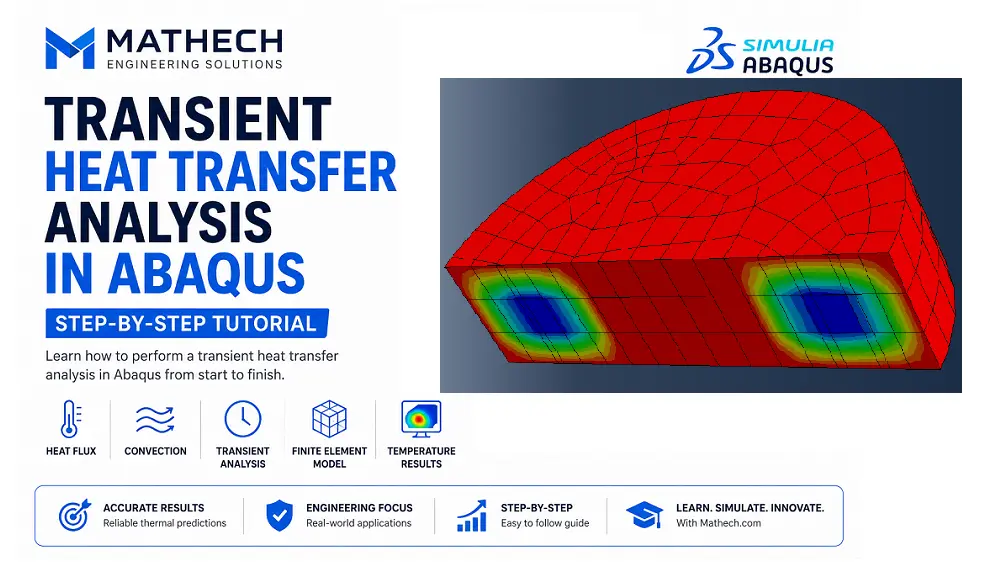
Transient heat transfer analysis is one of the most important simulation capabilities in Abaqus, enabling engineers to accurately predict temperature distribution, heat flow, and thermal gradients within engineering components over time. These simulations play a critical role in designing reliable products and optimizing manufacturing processes across a wide range of industries.
Accurate thermal analysis is essential for applications such as welding simulation, electronic cooling, heat exchangers, additive manufacturing, and many other engineering systems where temperature directly affects structural performance and material behavior.
📘 What You’ll Learn
In this step-by-step tutorial, you’ll learn how to build a complete transient thermal model in Abaqus, starting from material definition and section assignment to boundary conditions, analysis setup, job submission, and post-processing. The example uses a simple aluminum–resin assembly, making it an excellent introduction to thermal simulation workflows for both beginners and experienced FEA engineers.
1. Introduction
Heat transfer influences structural performance, residual stress, thermal expansion, fatigue life, and material degradation. Abaqus provides both steady-state and transient thermal analyses that accurately simulate conduction, convection, and radiation.
This tutorial focuses on a transient heat transfer analysis using two different materials:
- Aluminum
- Resin
2. Problem Description
The objective is to determine the temperature distribution inside a two-material component subjected to:
- External heat flux
- Convective cooling
- Initial ambient temperature
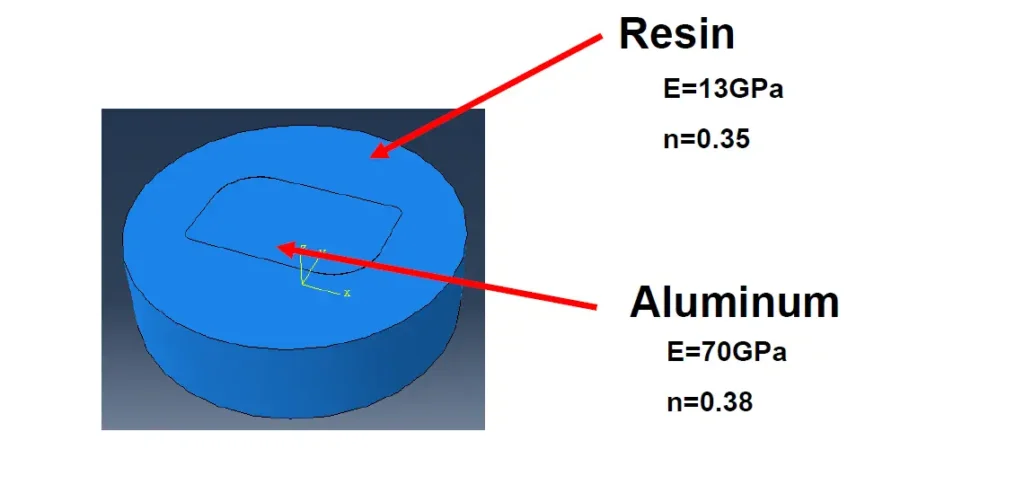
The simulation demonstrates how heat flows through materials having significantly different thermal conductivities.
Need Expert Abaqus Simulation Support?
Whether you’re facing convergence problems, implementing advanced material models, writing UMAT/VUMAT subroutines, or validating complex finite element analyses, our Abaqus specialists can help you obtain accurate and reliable results.
3. Step-by-Step Tutorial for Transient Heat Transfer Analysis
Step-1: Create the Geometry
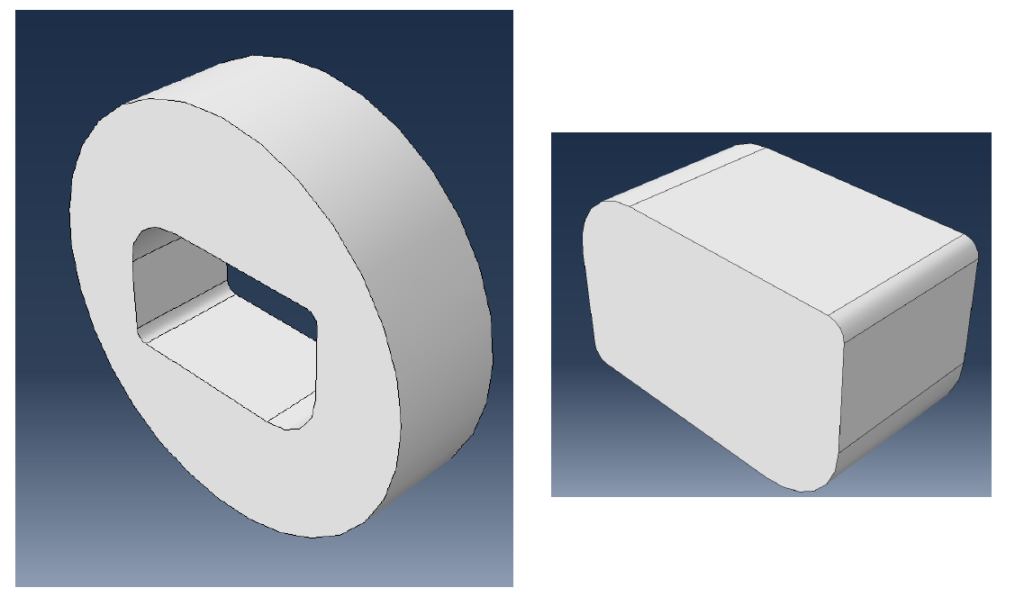
Create two solid bodies representing:
- Aluminum component
- Resin component
We uses an extrusion depth of 20 mm.
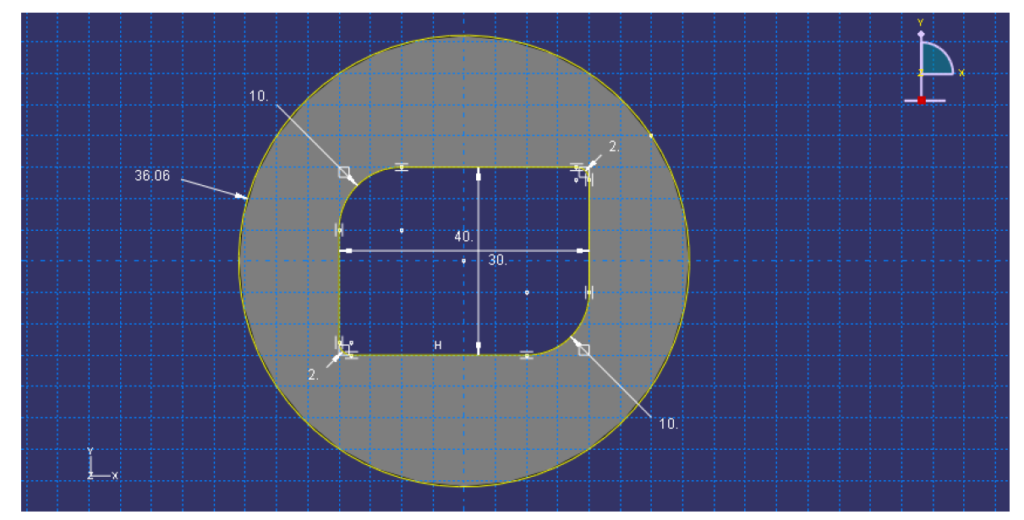
Recommended workflow:
- Part Module
- Create 2D sketch
- Extrude to 20 mm
- Create separate parts
Step-2 : Define Material Properties
| Property | Value |
|---|---|
| Young’s Modulus | 70 GPa |
| Poisson Ratio | 0.38 |
| Density | 2700 kg/m³ |
| Specific Heat | 871 J/kg·K |
| Thermal Conductivity | 202 W/m·K |
| Thermal Expansion | 2.3×10⁻⁵ /°C |
| Property | Value |
|---|---|
| Young’s Modulus | 13 GPa |
| Poisson Ratio | 0.35 |
| Density | 1719 kg/m³ |
| Specific Heat | 1000 J/kg·K |
| Thermal Conductivity | 1 W/m·K |
| Thermal Expansion | 4.2×10⁻⁵ /°C |
Engineering Note;
Notice the huge difference in thermal conductivity:
- Aluminum: 202 W/m·K
- Resin: 1 W/m·K
This causes heat to travel much faster through aluminum than through resin, resulting in significant temperature gradients at the interface.
Step-3 : Create Sections and Assign Materials
Assign:
- Aluminum section
- Resin section
Verify every region receives the correct material before proceeding.
Step-4 : Assemble the Model
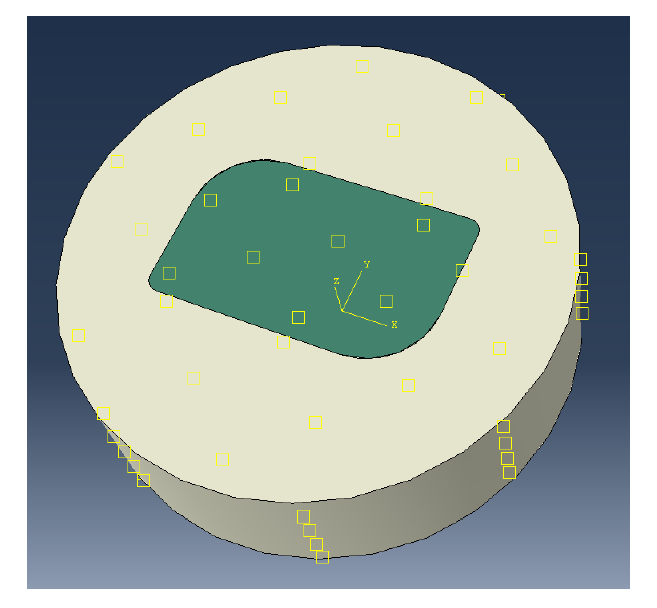
Create instances of all parts in the Assembly Module.
Use dependent instances unless independent editing is required.
Step-5 : Create the Heat Transfer Step
Create a new analysis step:
Heat Transfer → Transient
Choose appropriate time increments according to the heating duration.
Transient analysis is recommended whenever temperature changes with time.
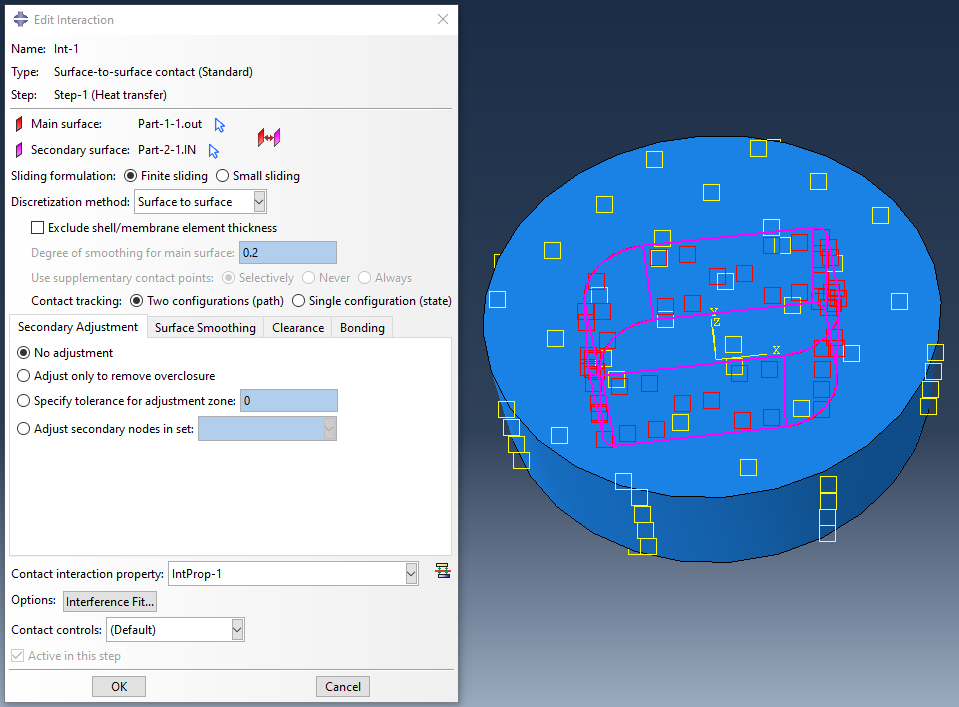
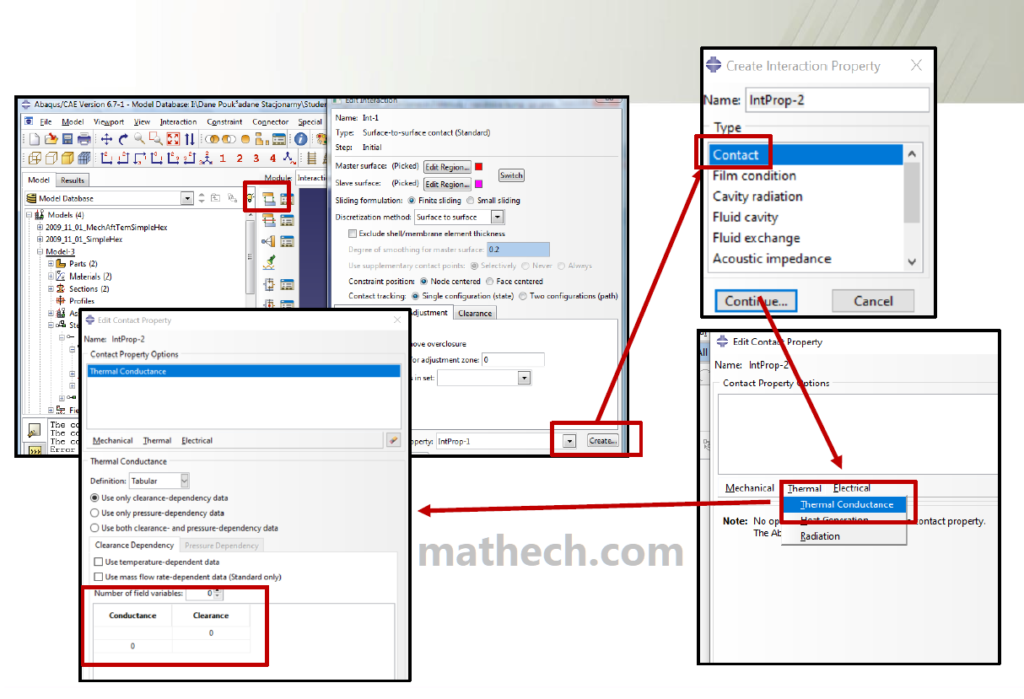
Step-6 : Define Contact
If the two parts touch each other:
- Create Contact Interaction
- Define Thermal Conductance
- Ensure heat can transfer between contacting surfaces
Without proper thermal contact, heat cannot flow correctly across interfaces.
Step-7 : Apply Initial Temperature
Use:
Predefined Field → Temperature
Specify the initial ambient temperature for the entire model.
Example:
20°Cor
293 Kdepending on your unit system.
Step-8 : Apply Convection
Create a film condition.
Specify:
- Film coefficient
- Sink temperature (ambient temperature)
Convection represents cooling caused by air or surrounding fluid.
Typical applications include:
- Natural air cooling
- Forced convection
- Cooling channels
- Outdoor structures
Step-9 : Apply Heat Flux
Apply a surface heat flux to the heated region.
Examples include:
- Laser heating
- Welding
- Electronic components
- Induction heating
- Furnaces
The heat flux determines how much thermal energy enters the model.
Step-10 : Define Amplitude
Instead of applying heat instantly, create an Amplitude curve.
Examples:
- Linear ramp
- Step loading
- Cyclic heating
- User-defined profile
Amplitude improves numerical stability and accurately represents real heating processes.
Step-11 : Mesh the Model
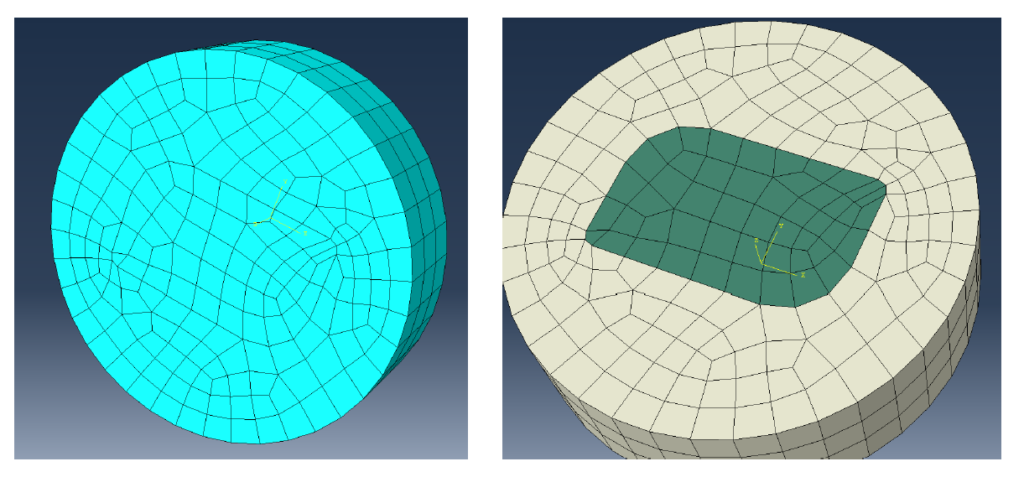
Generate the finite element mesh. ( Click here to see how to create 3D mesh in Abaqus )
Recommendations:
- Use finer elements near the heat source.
- Refine the mesh around interfaces.
- Use second-order thermal elements when higher accuracy is required.
A good mesh captures steep temperature gradients efficiently.
Step-12 : Submit the Job
Create a new Job.
Check:
- Material assignments
- Step settings
- Boundary conditions
- Mesh quality
- Contact definitions
Run the analysis and monitor for warnings or errors.
Step-13 : Post-Processing
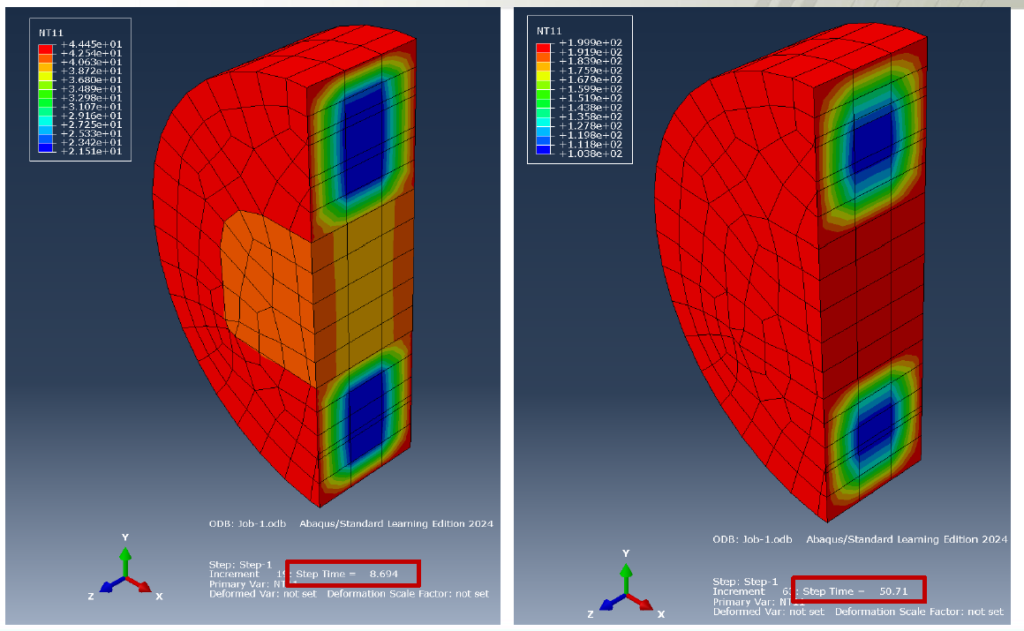
After completion, open the Visualization Module.
Review:
- Temperature contours
- Temperature history
- Heat flux vectors
- Thermal gradients
- Maximum and minimum temperatures
Compare the temperature response between aluminum and resin.
Because aluminum has much higher thermal conductivity, it distributes heat rapidly, while the resin remains comparatively insulated.
4. Common Errors in Transient Heat Transfer Analysis in Abaqus
Many beginners encounter the following issues:
- Missing thermal conductivity
- Incorrect unit system
- No initial temperature
- Missing thermal contact
- Incorrect convection definition
- Applying heat to the wrong surface
- Poor mesh quality
- Unrealistic material properties
Carefully reviewing each setup step can prevent inaccurate results.
5. Industrial Applications of Thermal analysis in Abaqus
Thermal analysis in Abaqus is widely used for:
- Laser welding simulation
- Additive manufacturing
- Electronics cooling
- Heat exchanger design
- Composite curing
- Battery thermal management
- Aerospace thermal protection
- Injection molding
- Casting simulation
- Thermal stress prediction
6. Frequently Asked Questions (FAQ) – Transient Heat Transfer Analysis in Abaqus:
Abaqus supports both steady-state and transient heat transfer analyses. Transient analysis is used when temperature changes over time.
Thermal conductivity determines how quickly heat flows through a material. Materials with high conductivity, such as aluminum, distribute heat much faster than insulating materials like resin.
Yes. Abaqus allows multiple thermal boundary conditions, including convection, heat flux, radiation, and prescribed temperatures, to be applied within the same analysis.
Thermal simulations are widely used in automotive, aerospace, electronics, energy, manufacturing, welding, additive manufacturing, and civil engineering.
Yes. Abaqus allows multiple thermal boundary conditions, including convection, heat flux, radiation, and prescribed temperatures, to be applied within the same analysis.
Read more about Finite Element Solutions of Heat Conduction Problems
Or Finite Element Analysis (FEA) of the Heat Equation
7. Conclusion
Thermal simulations are essential for predicting heat transfer and temperature evolution in engineering components. By correctly defining material properties, thermal contacts, convection, heat flux, and mesh refinement, Abaqus enables engineers to solve complex thermal problems with confidence.
Mastering these fundamentals provides the foundation for more advanced analyses such as thermo-mechanical coupling, welding simulation, additive manufacturing, and residual stress prediction.