
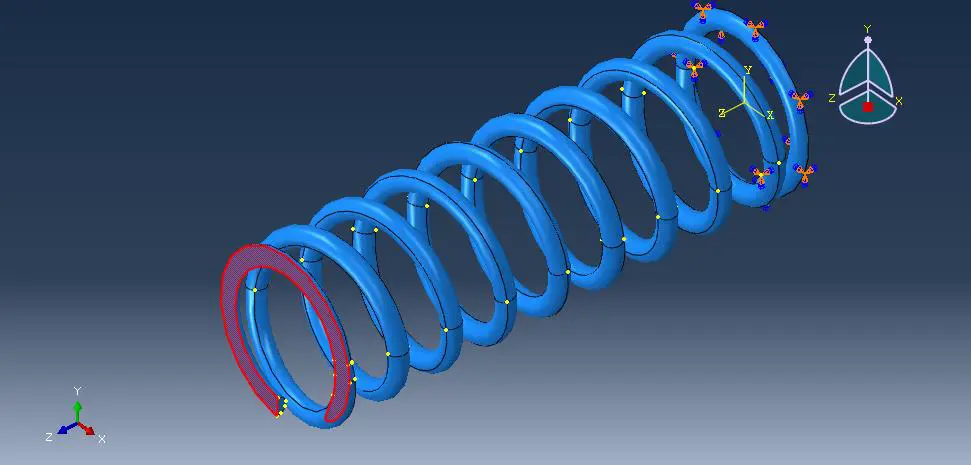
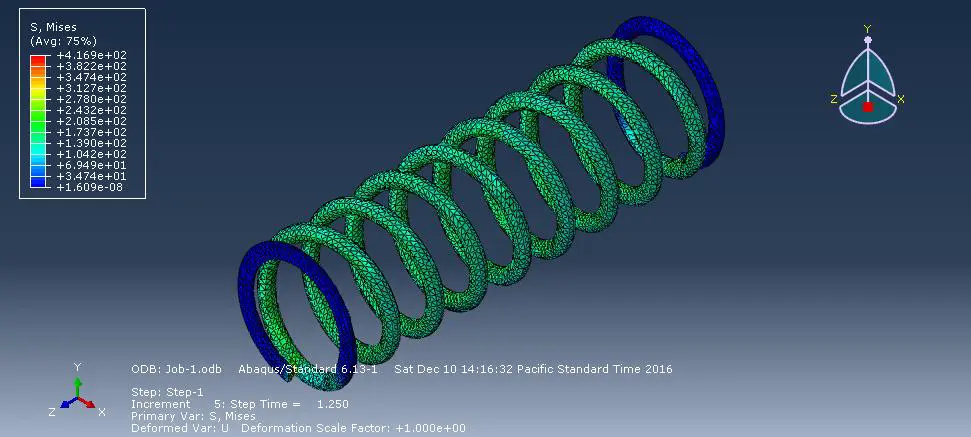
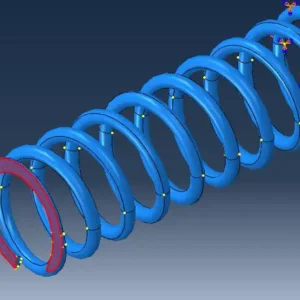
This Abaqus CAE file demonstrates the dynamic analysis of a helical spring subjected to an oscillating load. The example focuses on evaluating the spring’s structural response, stress distribution, and deformation under cyclic loading conditions using Abaqus.
The spring geometry is first created in CATIA because of its complex three-dimensional shape and then imported into Abaqus/CAE using the IGES (.igs) format. This workflow reflects a common engineering practice where CAD software is used for geometry creation and Abaqus is used for finite element analysis (FEA).
📦 Download Package Includes:
- ✅ Abaqus CAE File (.cae) – ready-to-run model for spring analysis under an oscillating load
- ✅ IGES Geometry File (.igs) – imported CAD geometry of the spring for Abaqus
- ✅ CATIA Part File (.CATPart) – original spring geometry created in CATIA
Perfect for students, researchers, and simulation engineers who want to practice CAD-to-FEA workflows, dynamic analysis, and spring modeling in Abaqus.
During the simulation, one end of the spring is fully constrained while the opposite end is subjected to an oscillating load. The analysis allows users to investigate how cyclic loading influences stress concentration, deformation, and the overall mechanical behavior of the spring.
This example is an excellent learning resource for students, researchers, and engineers who want to understand spring modeling, CAD-to-FEA workflows, and dynamic structural analysis in Abaqus.
What You Will Learn
- Importing CAD geometry from CATIA into Abaqus
- Using IGES (.igs) files for geometry transfer
- Preparing imported geometry for finite element analysis
- Assigning material properties
- Applying oscillating loads
- Defining fixed boundary conditions
- Creating an appropriate finite element mesh
- Performing dynamic structural analysis
- Evaluating von Mises stress and deformation
- Visualizing the spring response under cyclic loading
File Features
- Ready-to-run Abaqus CAE model
- Dynamic structural analysis
- Helical spring geometry
- CATIA-to-Abaqus workflow
- IGES geometry import example
- Oscillating load definition
- Complete material and boundary condition setup
- Optimized finite element mesh
- Fully editable Abaqus model
Applications
This Abaqus example is suitable for:
- Spring design and analysis
- Dynamic finite element analysis (FEA)
- Mechanical engineering education
- CAD to Abaqus workflow training
- Machine component simulation
- Structural vibration studies
- Engineering simulation practice
Included Files
Your download includes:
- Abaqus CAE model (.cae)
- Abaqus input file (.inp) (if included)
- IGES geometry file (.igs) (if included)
- Complete model setup
- Material properties
- Boundary conditions
- Oscillating load definition
- Mesh configuration
- Ready-to-run simulation
Why Choose This Model?
Modeling helical springs can be challenging because of their complex geometry and dynamic behavior. This Abaqus CAE file provides a practical example of importing CAD geometry, preparing it for analysis, and performing a dynamic finite element simulation under oscillating loading. It serves as an excellent reference for engineers and students working on springs, suspension systems, vibration analysis, and machine component design.
In addition to demonstrating professional modeling practices, this example helps users develop practical Finite Element Analysis (FEA) skills that can be applied to a wide range of dynamic structural problems involving complex geometries and cyclic loading conditions.



Reviews
There are no reviews yet.